

Set up log forwarding from Cribl to Axiom using the HTTP destination
Below are the steps to set up and send logs from Cribl to Axiom using the HTTP destination:- Create a new HTTP destination in Cribl LogStream:
+ Add New to create a new destination.
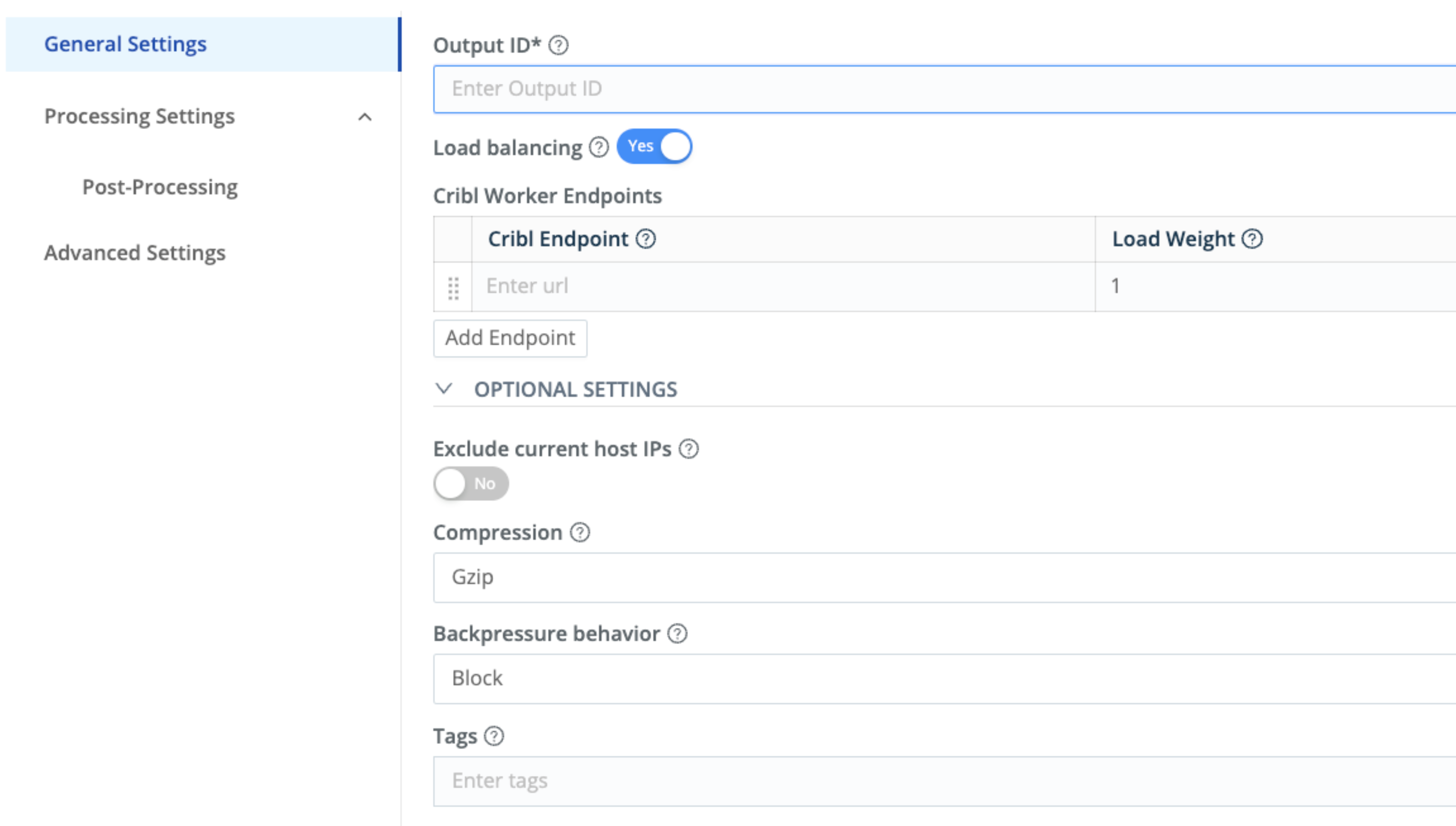
Cribl LogStream
- Configure the destination:
- Name: Choose a name for the destination.
- In the Axiom UI, click the Datasets tab and create your dataset by entering its name and description.
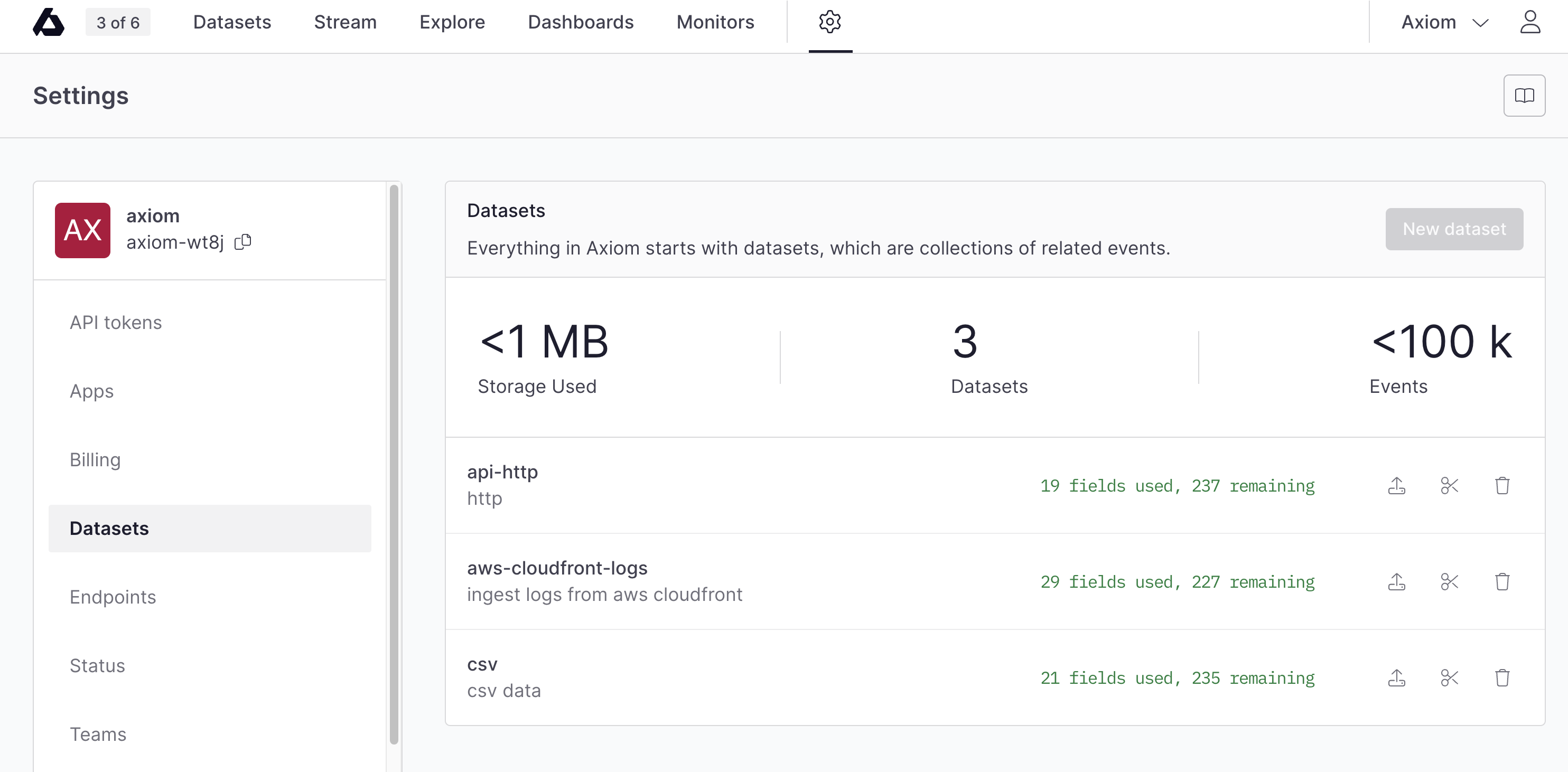
Auth overview
-
Endpoint URL: Input the URL of your Axiom log ingest endpoint. This should be something like
https://api.axiom.co/v1/datasets/$DATASET_NAME/ingest. Replace$DATASET_NAMEwith the name of your dataset. -
Method: Choose
POST. - Event Breaker: Set this to One Event Per Request or CRLF (Carriage Return Line Feed), depending on how you want to separate events.
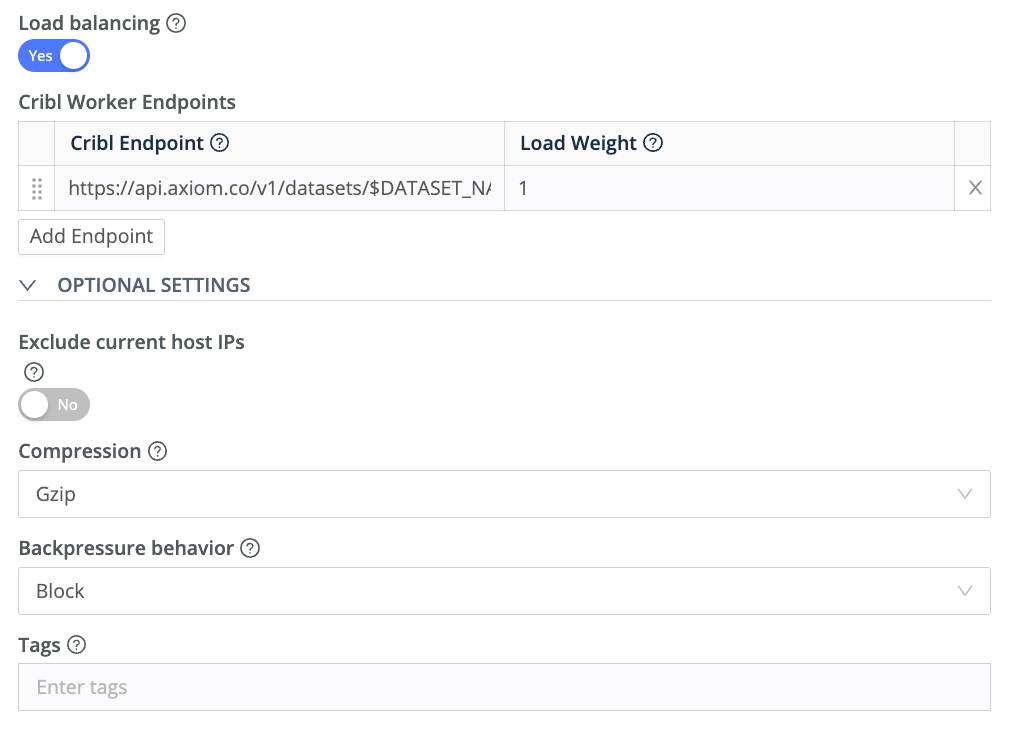
Cribl LogStream destination
- Headers:
-
Content-Type: Set this to
application/json. -
Authorization: This should be
Bearer $API_Token, replacing$API_Tokenwith the actual API token from organization settings.
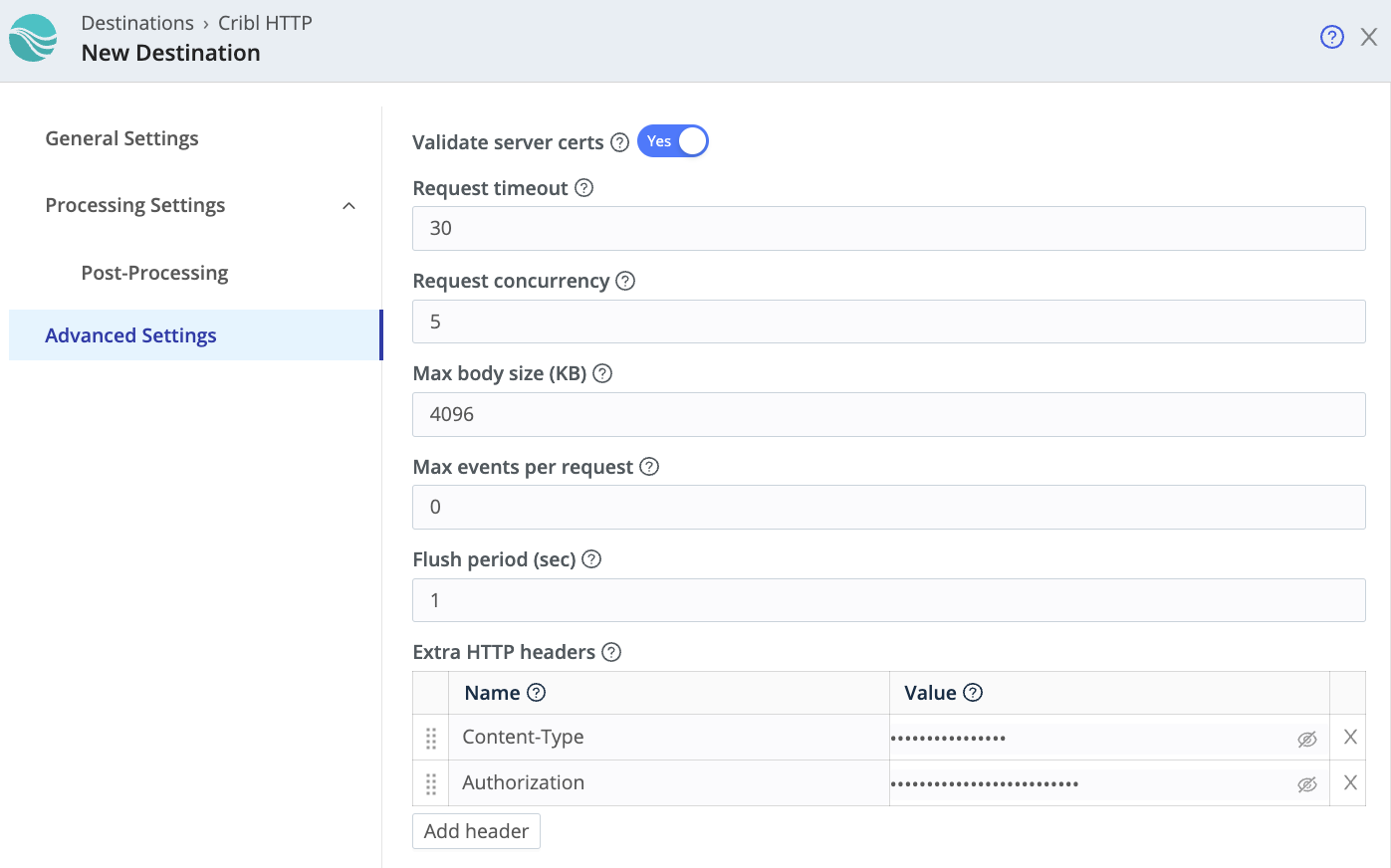
Cribl LogStream destination headers
- Body:
{{_raw}}. This forwards the raw log event to Axiom.
- Save and enable the destination:
Set up log forwarding from Cribl to Axiom using the Syslog destination
Create Syslog endpoint
- Click
 Settings > Endpoints.
 - Click New endpoint.
- Click .
- Name the endpoint.
- Select the dataset where you want to send data.
- Copy the URL displayed for the newly created endpoint. This is the target URL where you send the data.
Configure destination in Cribl
- Create a new Syslog destination in Cribl LogStream:
+ Add New to create a new destination.
- Configure the destination:
- Name: Choose a name and output ID for the destination.
- Protocol: Choose the protocol for the Syslog messages. Select the TCP protocol.
-
Destination Address: Input the address of the Axiom endpoint to which you want to send logs. This address is generated from your Syslog endpoint in Axiom and follows this format:
tcp+tls://qsfgsfhjsfkbx9.syslog.axiom.co:6514. -
Destination Port: Enter the port number on which the Axiom endpoint is listening for Syslog messages which is
6514 -
Format: Choose the Syslog message format.
RFC3164is a common format and is generally recommended. - Facility: Choose the facility code to use in the Syslog messages. The facility code represents the type of process that’s generating the Syslog messages.
- Severity: Choose the severity level to use in the Syslog messages. The severity level represents the importance of the Syslog messages.
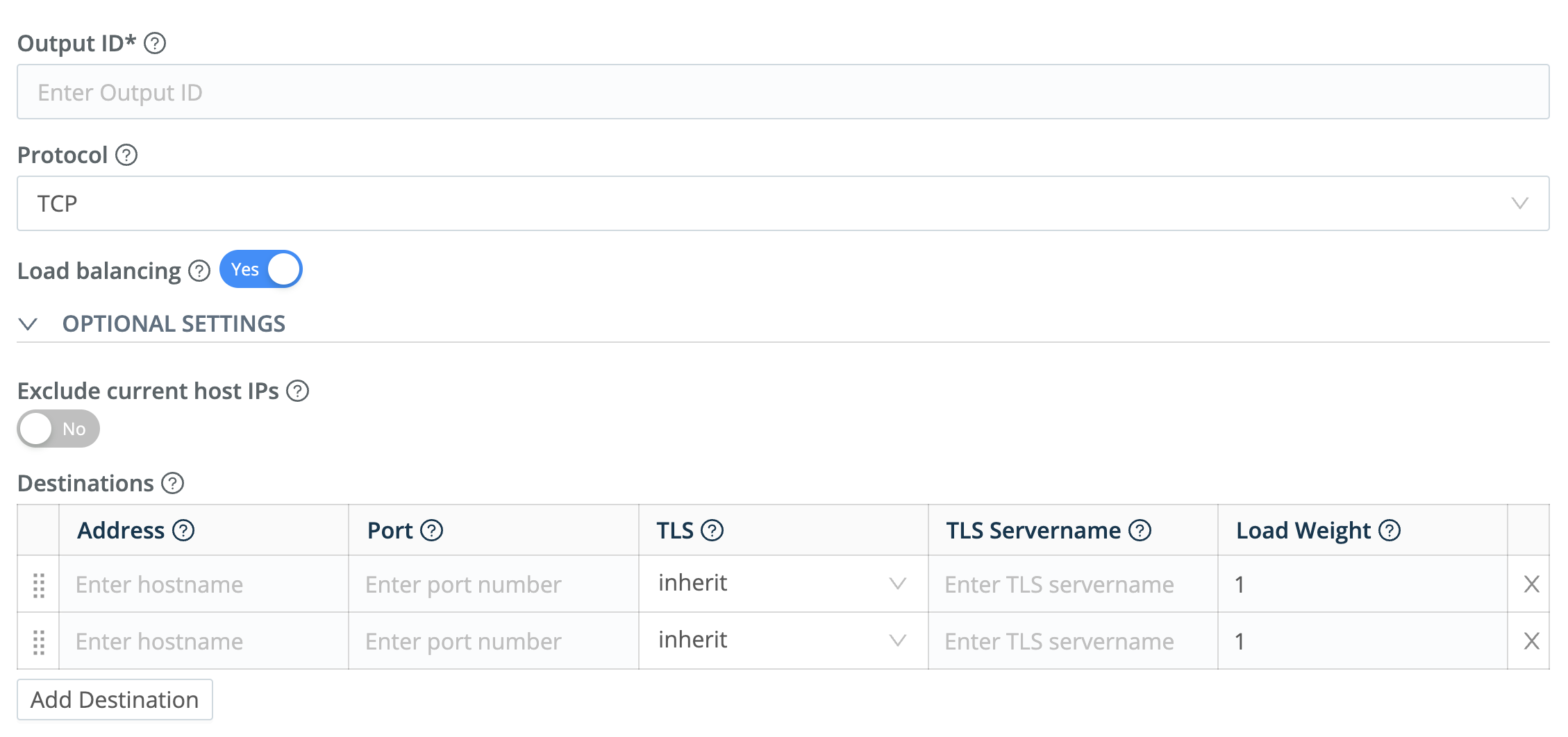
Cribl LogStream destination configuration
- Configure the Message:
- Timestamp Format: Choose the timestamp format to use in the Syslog messages.
- Application Name Field: Enter the name of the field to use as the app name in the Syslog messages.
-
Message Field: Enter the name of the field to use as the message in the Syslog messages. Typically, this would be
_raw. - Throttling: Enter the throttling value. Throttling is a mechanism to control the data flow rate from the source (Cribl) to the destination (in this case, an Axiom Syslog Endpoint).
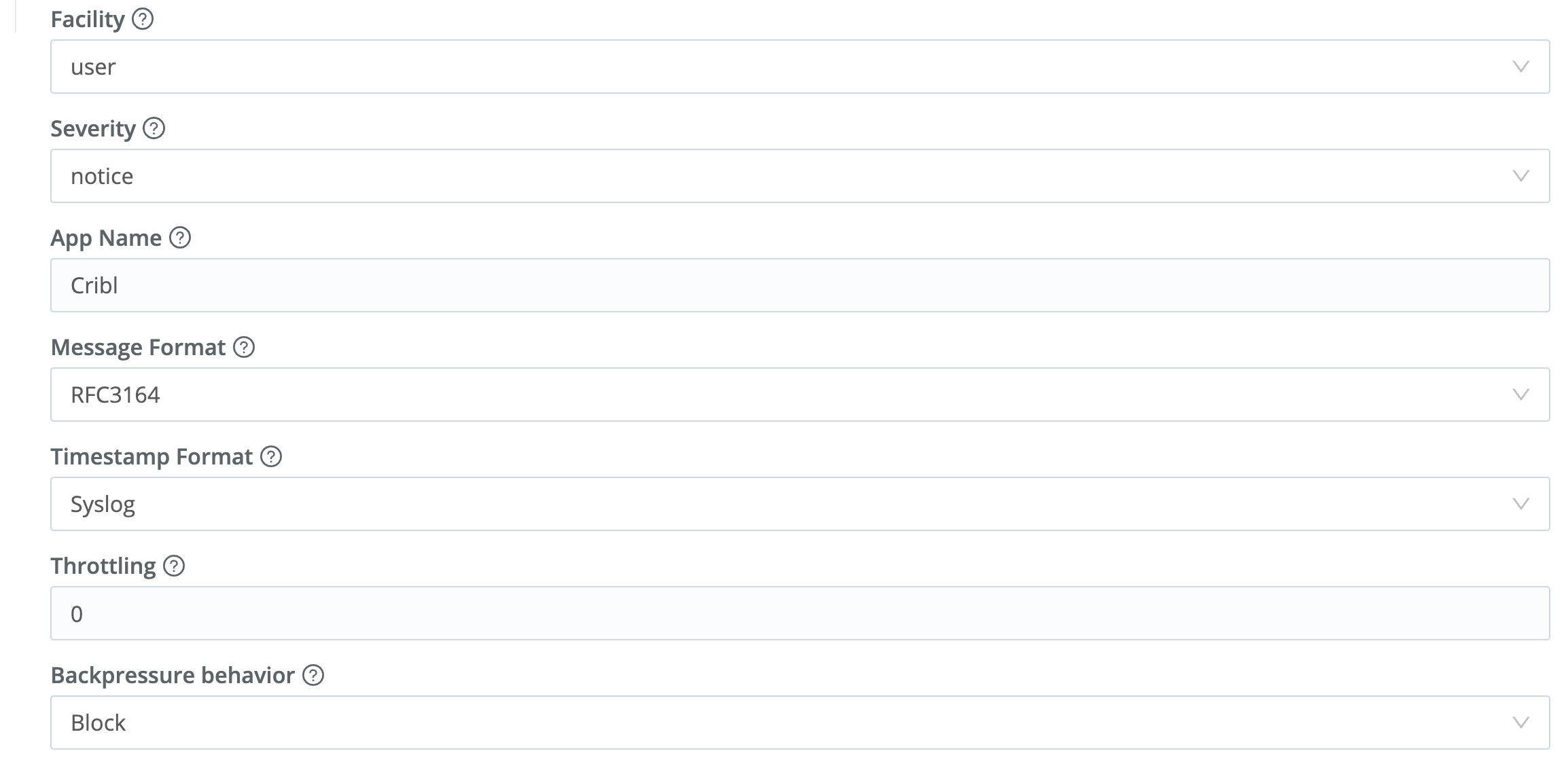
Configure the Syslog message
- Save and enable the destination